Create a Mood Board Fast-Using your iPad with IOS 16 Visual Lookup and Goodnotes
Want to create a mood board in less than 5 minutes on your iPad. Read this quick and dirty tutorial!
you don’t have to create mood boards on your computer
this is even better than doing it in canva
You don’t have to upload images, just save them on your camera roll
TL/DR
Want to know how to create a concept or mood board quickly using iOS 16 on your iPad?
WATCH THE VIDEO BELOW, IF YOU ARE NOT A FAN OF READING!
When I first started as an interior designer, mood boards were created with lots of foam core, builders’ glue and photocopied images. They were painstakingly created. We had to type out labels and stick them on. Spray glue went everywhere- even in my hair. That was loads of fun to get out, I can tell you. It took hours!!! I was impressed when I learned how to use InDesign during 3rd year and we no longer had to do everything with glue and Stanley knives. We could do it digitally! We still had to pay a ton of money to get it printed out, though!
There was also the stress of running to the print shop when it opened so we could get the presentation printed. Fun days!
Luckily, the creation of mood boards has got easier and easier. I was impressed when I could just use Canva- I still had to use a computer though - as canva can be time-consuming as you have to upload the images.
Now it is too easy.
Apple has released IOS 16 and has introduced a new function in their photo editing app called Visual Lookup.
Visual Look Up was first introduced in iOS 15. It was originally aimed at using photos as an online search tool and to provide information about the subject of a photo. You can use it to search for information about anything that stands out - landmarks, art, plants, pets, insects, birds, and people. The feature can be used in the Photos app as well as Safari and Messages.
In IOS16 Visual lookup allows you to use your apple pencil to automatically remove the background and it is so much faster than any other third-party application. It is probably not as precise as Photoshop, so don’t use it on something that has a lot of frizzy hair or tiny details, but for interior design purposes, it’s perfect!
Let's see how to use it as a designer.
Firstly, head over and make sure that you've downloaded iOS 16. Going to head into our browser and we're going to find some images for the mood board that we would like to use. So what you can do if you're on a site that allows you to save images, you can do that, save it to your camera roll.
Step 1
Make sure that you have updated your operating system to IOS 16.

Step 2
Save your image- you can either save an image to the camera roll or take a screenshot
Step 3
If you have taken a screenshot make sure that you crop it so that you only see the image
Step 4
Use your apple pencil, touch the object you want to isolate and you should see a white light tracing the outline. It’s like magic.
Step 5
A dialogue box should appear which says copy.
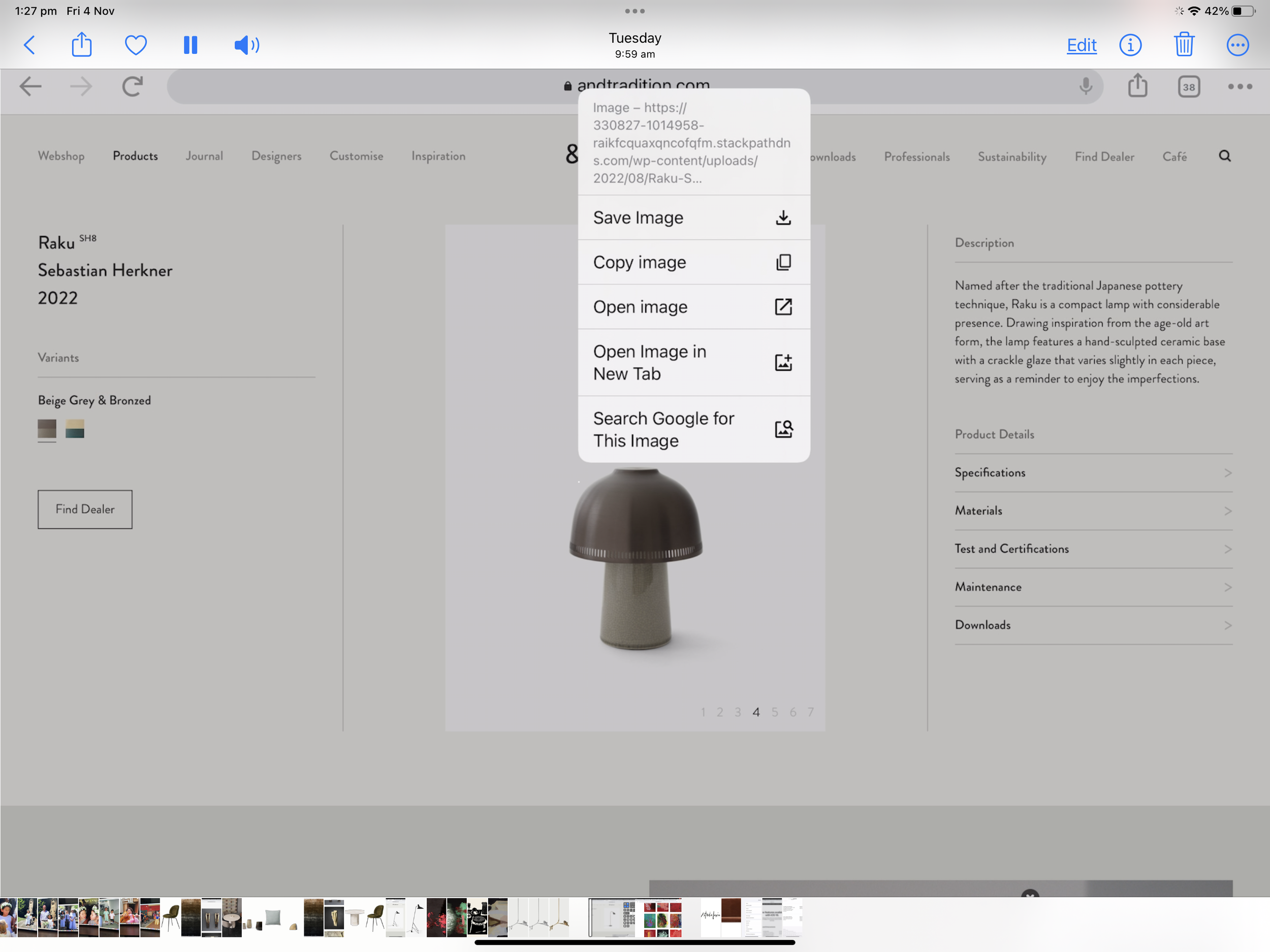
Step 6
Go into an app such as good notes or procreate and touch your apple pencil- a dialogue box should appear that says paste.
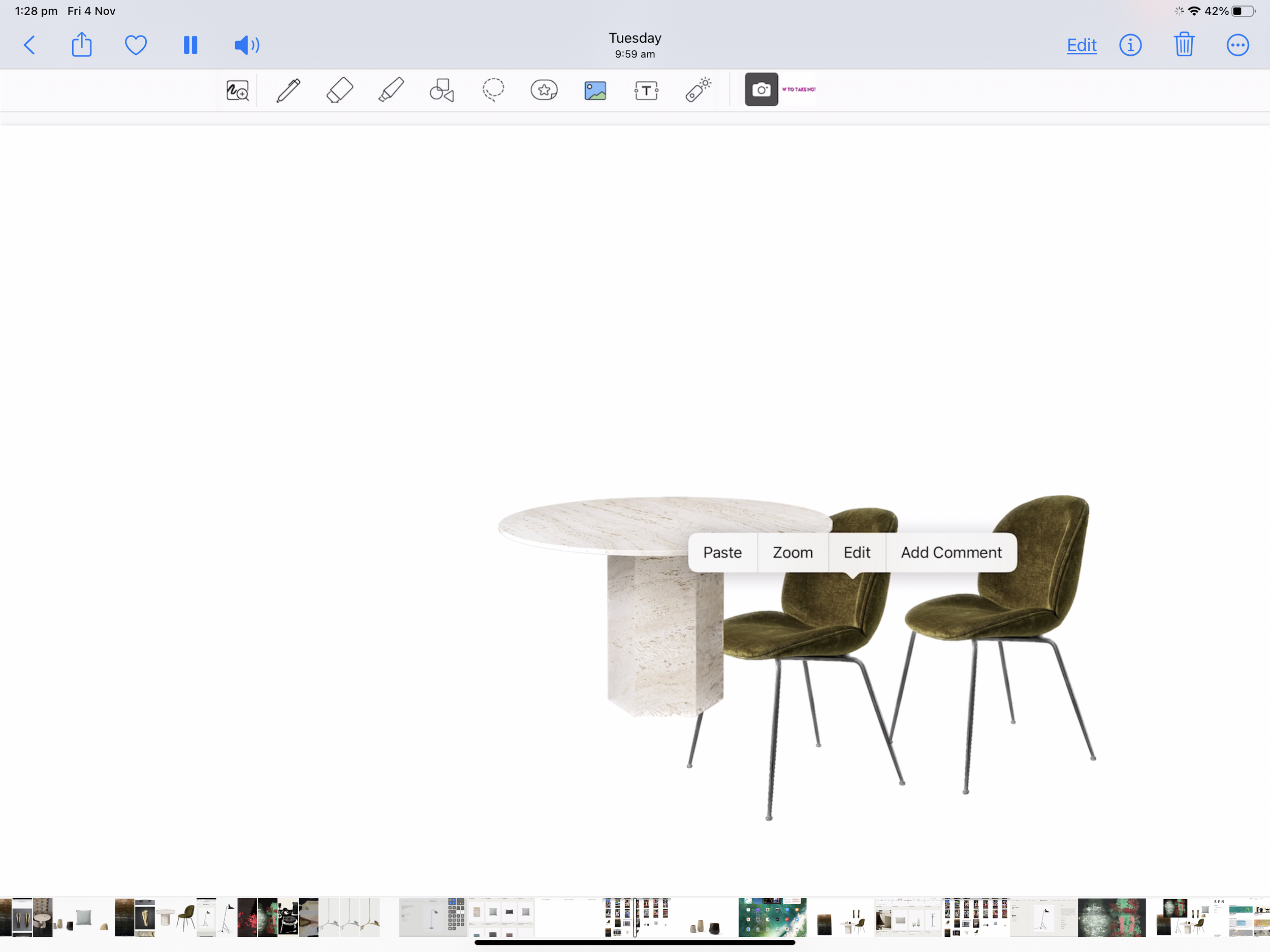
Step 7
Paste and resize
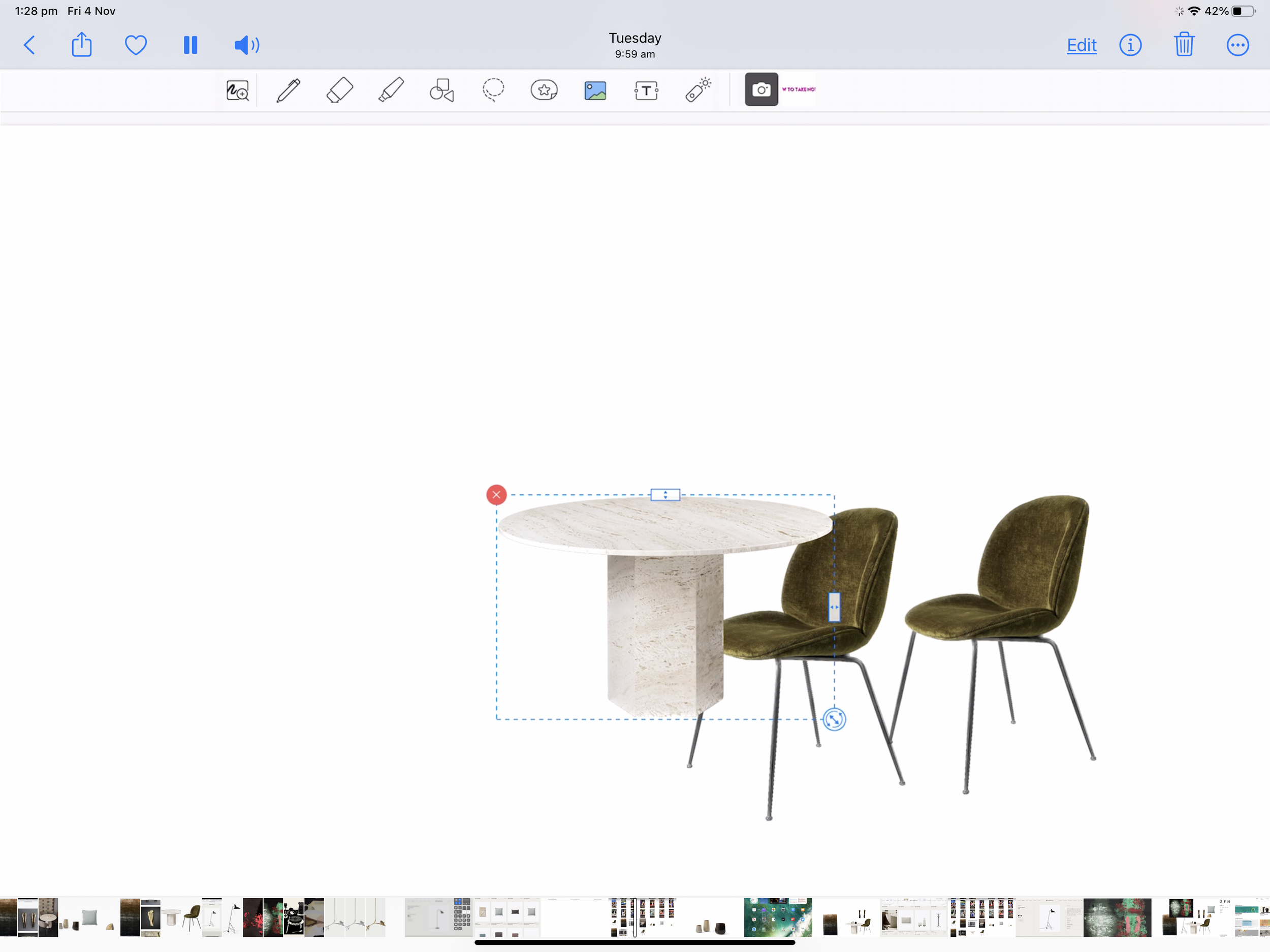
Step 8
Type in your headings -bonus points if you have set up pages in GoodNotes with your logo and board titles.
Step 9
Take a screenshot to use as a reference or to send to your client!
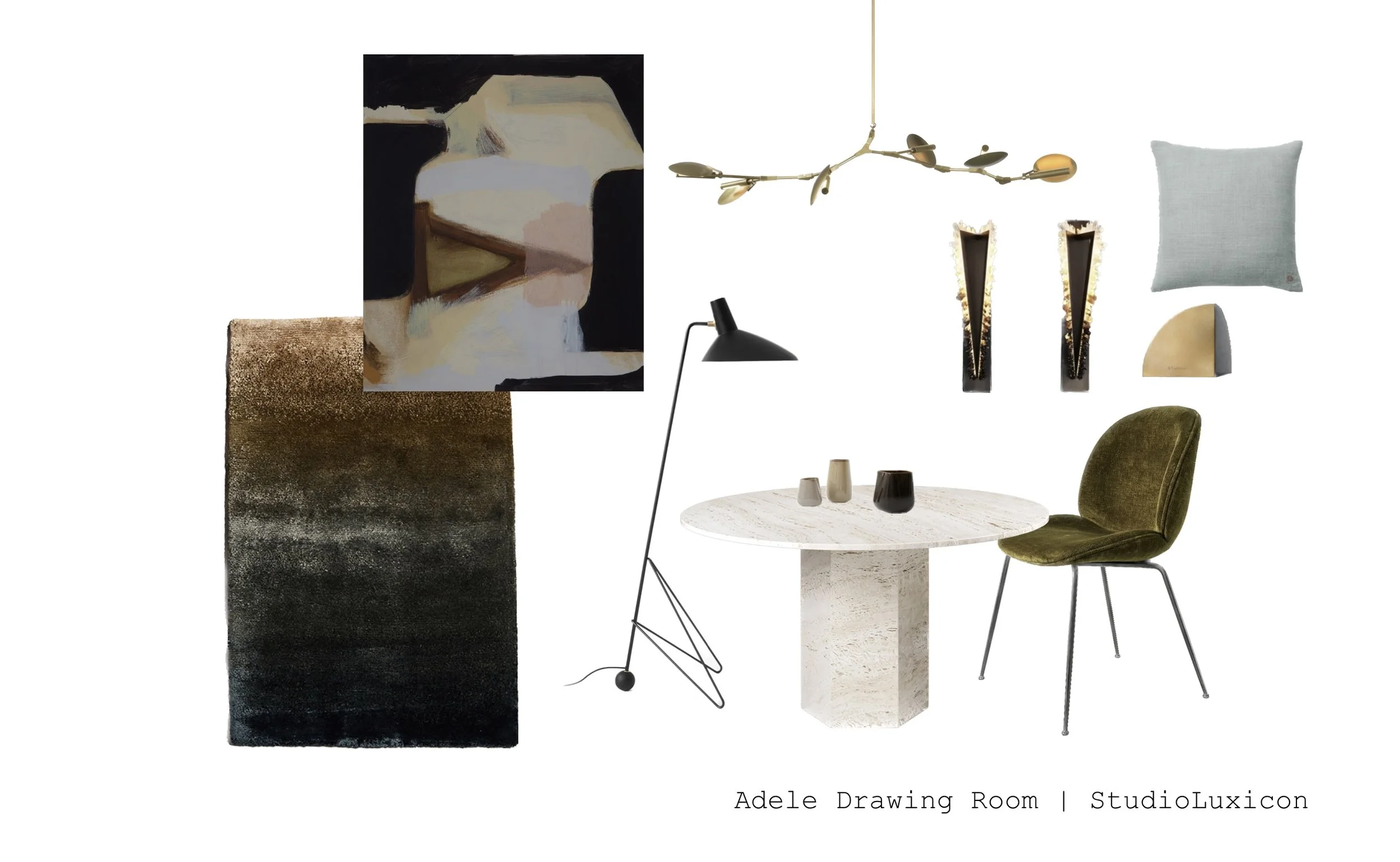
Watch the video
I’ve created a video on YouTube that will walk you through the above steps. Hope you enjoy it and let me know if you would like me to create any videos about apps that you would like to use!
If you are interested, check out the ones on Coolors and Milanote. I’ll soon be starting a series on Design management apps. Make sure that you subscribe to my Youtube channel to check them out.
Check out our courses on branding and websites specifically for interior designers just like you who want to start and scale up their interior design businesses.